

Creating ocaml.nvim to Bring Neovim Support to OCaml's LSP Server
Software Engineer
We are happy to announce the release of the new ocaml.nvim plugin! It provides Neovim users with access to advanced ocaml-lsp features without getting involved in complicated editor-side logic. Think of it as the Neovim sibling of the Emacs plugin ocaml-eglot – which we have also covered on the blog – simplifying maintenance while still providing custom OCaml features. This is part of Tarides' ongoing effort to improve the OCaml user experience by introducing new features and improving existing ones.
In this post, we provide a brief overview of the relationship between Merlin, LSP, and Neovim in OCaml, the goals and features of ocaml.nvim, and offer some insight into how the engineers approached this project. We encourage you to install the plugin if you’re a NeoVim user (or just curious!) and give it a try. The repository is public and comes with documentation about its features and how to install the plugin. To help the team out, you can share your feedback on the OCaml Discuss forum, in the repo, or by emailing Charlène directly.
Merlin, LSP, & NeoVim
The Language Server Protocol (LSP) was created to address a programming landscape of a growing number of incompatible editors. The open protocol standardises the interactions between an editor and a server providing IDE services, creating a standard model supporting any compatible editor.
Created before the LSP, OCaml’s editor-agnostic server, Merlin, has offered advanced in-editor functionalities to the language for a long time. It quickly gained popularity within the community and was supported by several editors, including Emacs and Vim. However, supporting and maintaining each individual editor was resource intensive, as they required a tailored approach whenever they, OCaml, or Merlin updated.
Now, thanks to the fact that most modern editors use LSP to communicate with programming languages, OCaml can use LSP defaults to integrate Merlin with each editor’s LSP plugins. Neovim is one of the most popular editors (alongside Emacs, Vim, and VSCode) in the OCaml community. The new ocaml.nvim extension enables Neovim to support custom commands that are not possible with the standard LSP. The plugin ocaml.nvim works with generic Neovim LSP to provide access to advanced ocaml-lsp features, including all the advanced Merlin commands not supported by generic LSP clients. This approach addresses the so-called ‘editor burnout’ problem, which we have described in greater detail in our post on ocaml-eglot, ocaml.nvim’s ‘sibling’.
OCaml.nvim: Creating a New Plugin
The goal of the project was to create a modern and idiomatic Neovim plugin that would implement the server’s custom requests in a way that respected the design of the editor. We wanted to create a good foundation for community and industry users to build on, with a minimalist and well-documented plugin.
The ocaml.nvim plugin, of course, also supports key custom OCaml features, including advanced type-enclosing functionality, syntax-aware navigation, search by type, construct, and switching between the corresponding .ml and .mli. Check out the ocaml.nvim repository to read more about the supported features.
Code Actions and Custom Requests
Since this plugin aimed to enhance the standard LSP features, we needed to rely on an additional protocol to link specific information to a particular command.
LSP offers two types of special requests: code actions and custom requests.
The LSP already lists code actions, but when there are numerous options, this special request can be confusing to use.
Moreover, code actions prevent the use of parameters. They do not, for example, let the user select between multiple choices.
This is where custom requests come into play.
Custom requests allow the language server to converse with the user as much as needed, for example, to collect choices. As a consequence, they require an extra plugin to translate the conversation from the server to the user, as the LSP cannot generalise the infinity of commands we could imagine in all languages.
Every function is available on the Merlin side and accessible via ocaml-lsp.
There are two types of calls.
Ocaml-lspAPI: This is the language server for OCaml. It provides the default features to the LSP. It also offers more than that. We can connect to the API to request information based on the cursor location or the server's knowledge of the current file.MerlinCallCompatible: This is also provided byocaml-lsp, and allows us to invoke the Merlin commands. It requires additional arguments and returns the result in a character string format; here, we used JSON.
UI Elements
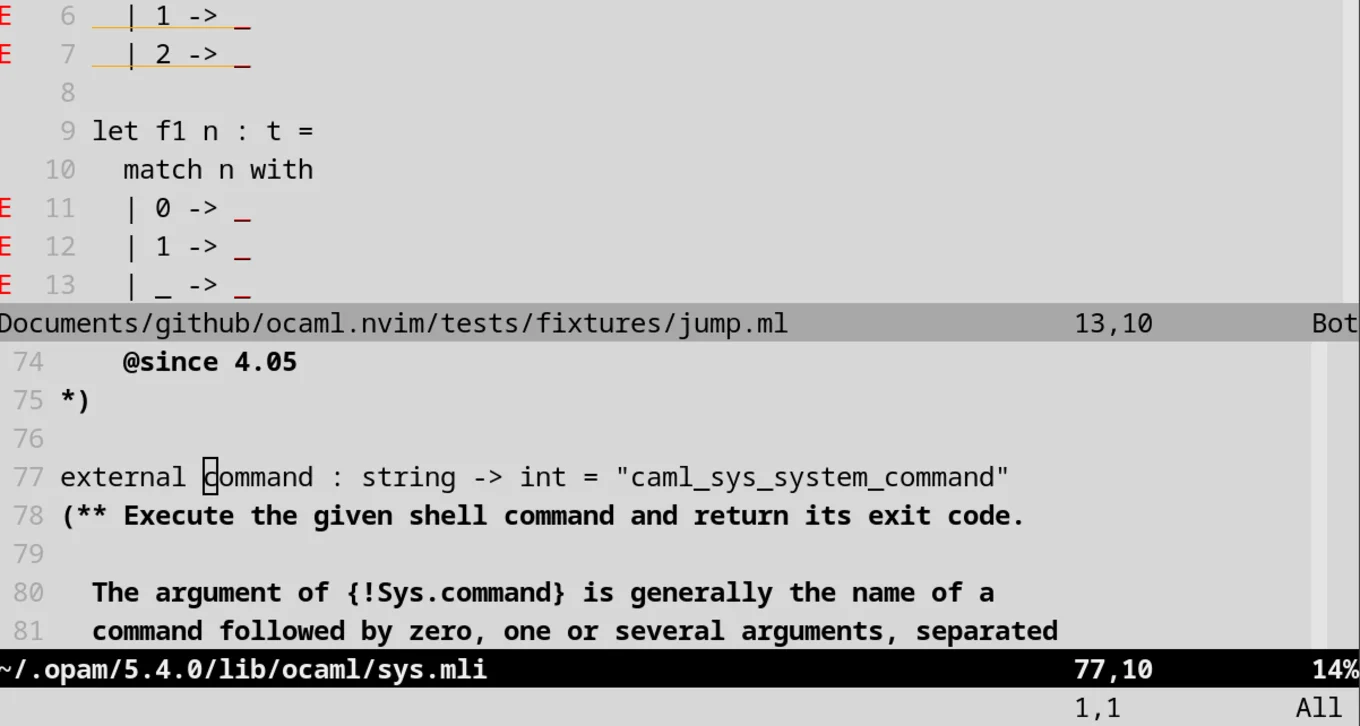
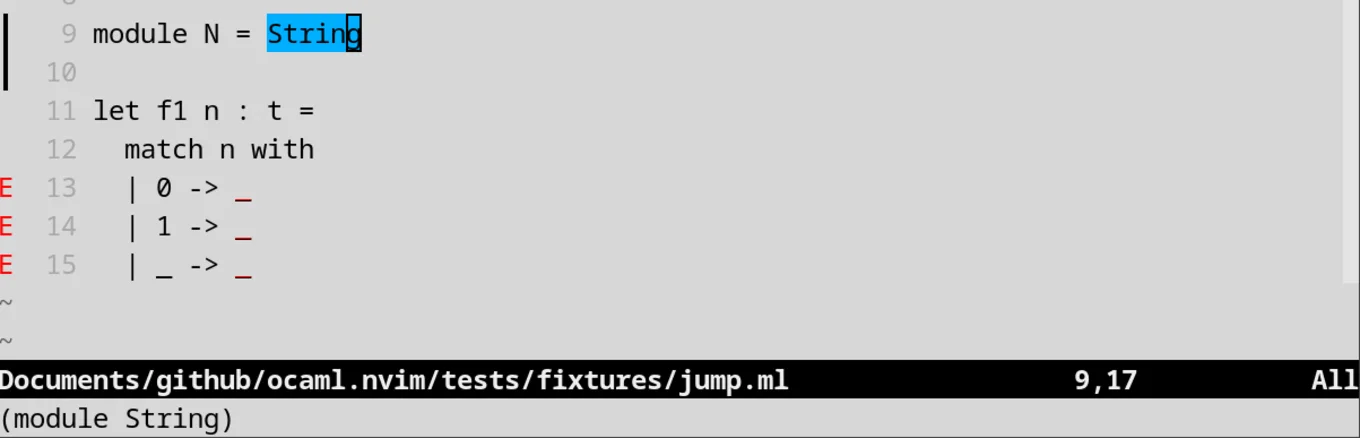
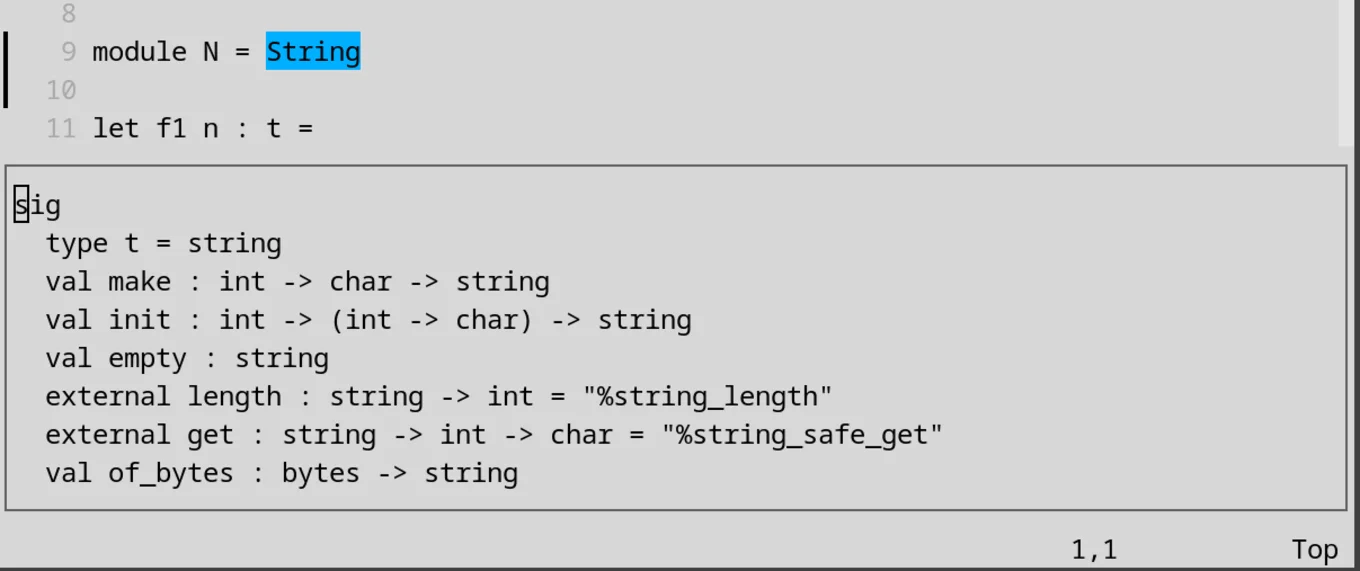
Our objective was to provide a clear interface. To achieve this, we implemented four main UI elements for the entire plugin.
- Selector: opens a floating window where the focus is initialised at the first line. Then, you can use the arrows and enter to move and select the wanted line.
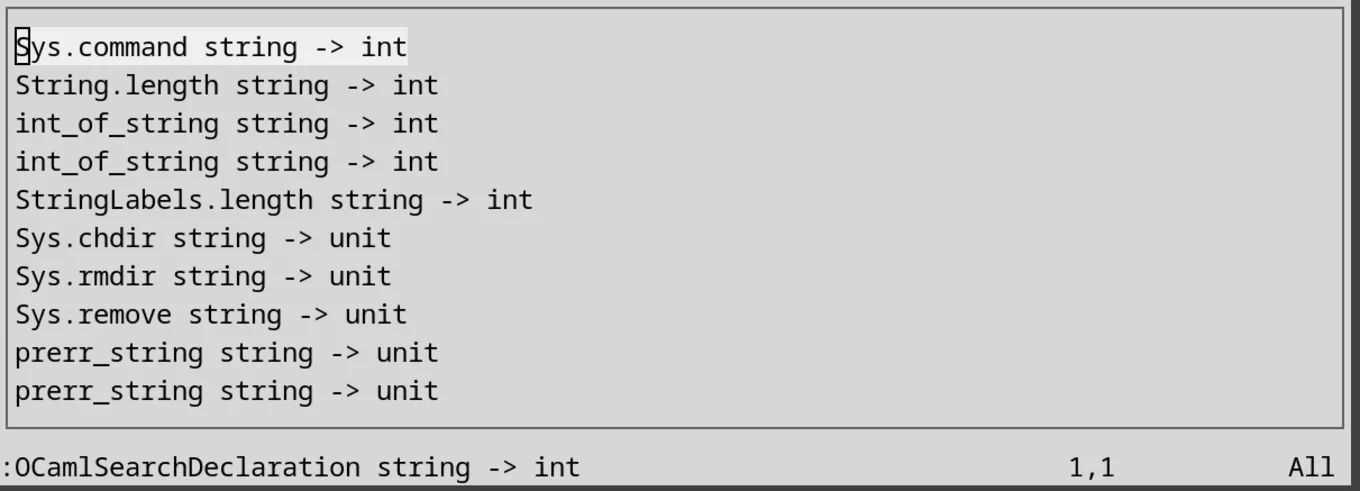
- New Window: This is built-in with
nvim, and splits the current window to open a new buffer.
- One-line Display: This is the simplest UI, simply a
print. If it takes less than one line, it is displayed where you enter the commands.
- Multi-line Display: By default, if the string in
printexceeds one line, it displays it in multiple lines. However, this behaviour is not ideal because it requires pressing Enter to erase the text in an unappealing manner. So, the plugin provides an alternative that is similar to the UI selector.
Regarding customisation, since everyone has their own keymaps, we provided default ones and allow users to modify them to suit their needs and preferences.
Try it Out!
Visit the ocaml.nvim repository on GitHub to get started with the new plugin. The repo includes the installation instructions, a straightforward process using lazy.nvim, as well as a features list and some examples.
Since the team is working towards a 1.0 release, any and all feedback is welcome. Remember to share your thoughts, suggestions, and questions on Discuss or in the repo through issues and commits.
You can connect with us on Bluesky, Mastodon, Threads, and LinkedIn or sign up for our mailing list to stay updated on our latest projects. We look forward to hearing from you!
Open-Source Development
Tarides champions open-source development. We create and maintain key features of the OCaml language in collaboration with the OCaml community. To learn more about how you can support our open-source work, discover our page on GitHub.
Explore Commercial Opportunities
We are always happy to discuss commercial opportunities around OCaml. We provide core services, including training, tailor-made tools, and secure solutions. Tarides can help your teams realise their vision
Stay Updated on OCaml and MirageOS!
Subscribe to our mailing list to receive the latest news from Tarides.
By signing up, you agree to receive emails from Tarides. You can unsubscribe at any time.